Overview
Tokenization lets you store a customer's credit card details securely so that repeat payments can be processed without asking for card data again.
The Hosted Model checkout page collects card data during tokenization. As with other Hosted Model payments, PCI DSS compliance is not required because BBMSL stores all tokenized data.
Features
Supported payment methods
- Payment Card: Visa, Mastercard
Supported currency
| Payment Method/Currency | HKD | USD |
|---|---|---|
| Visa/Mastercard | ✓ | ✓ |
Compatible browsers
The hosted checkout page is fully compatible with the following web browsers:
- Google Chrome
- Mozilla Firefox
- Microsoft Edge
- Apple Safari
Customization options
Page presentation
You can redirect the customer to the hosted checkout page, or embed the payment page in an iframe element.
Page design
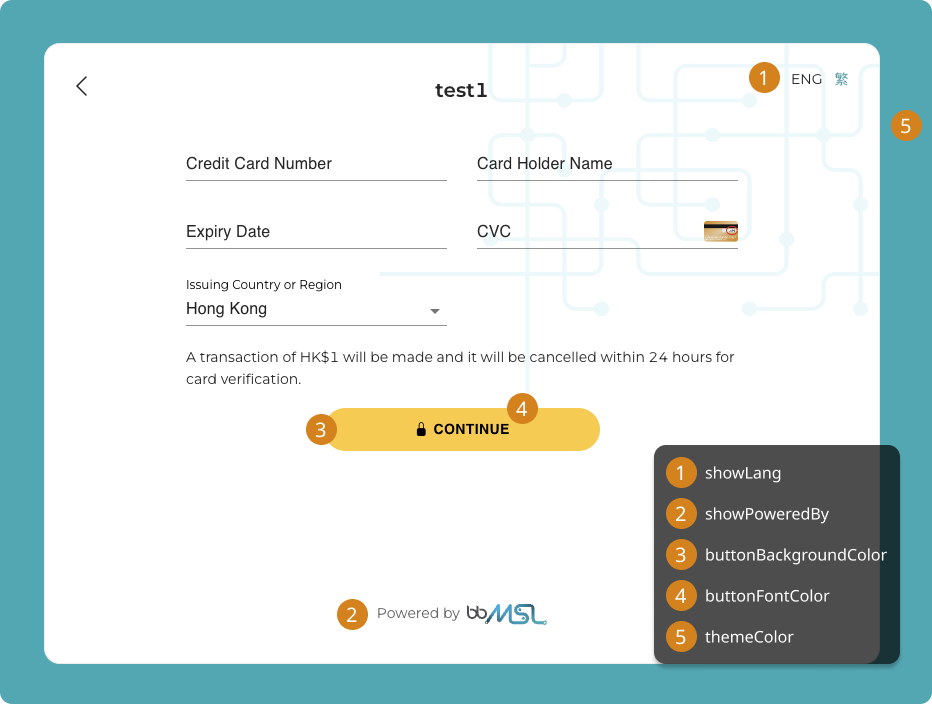
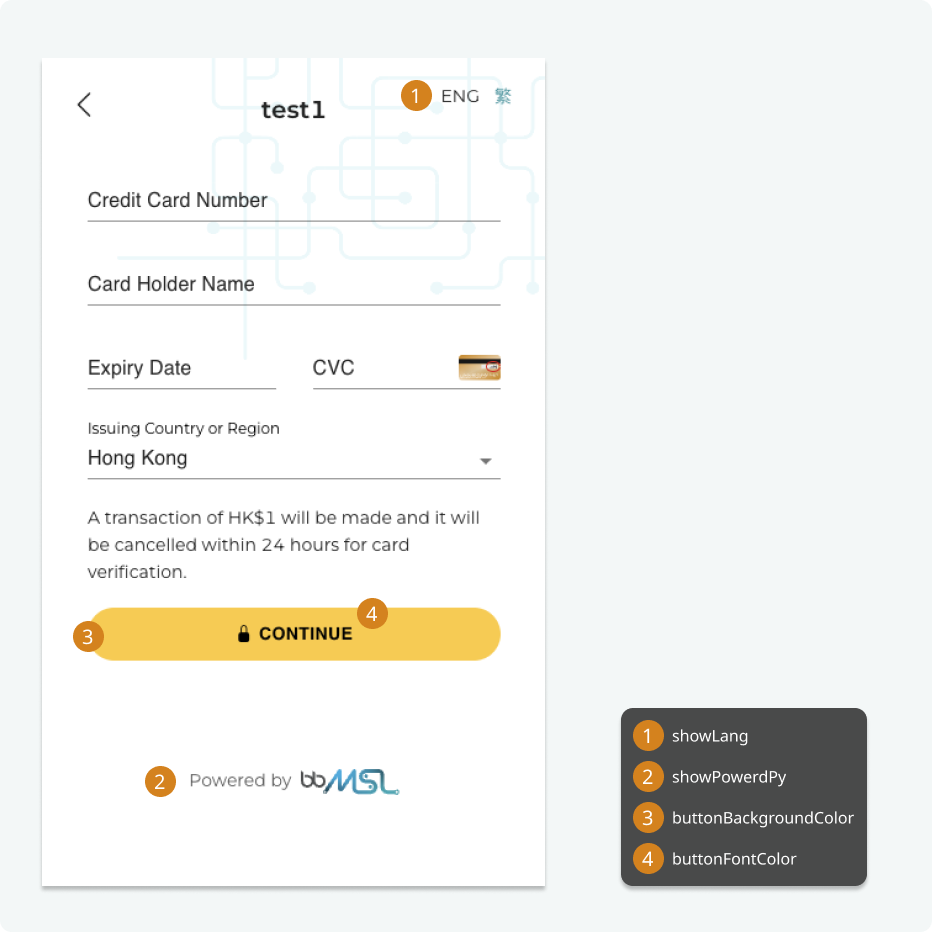
You can upload your company logo and configure the checkout page theme color in the BBMSL Business Portal. Additional UI options are available through PayAPI request parameters. The diagrams below show the available customization options for desktop and mobile layouts.
Security
- Payment Card: Tokenization supports 3-D Secure (3DS) verification to protect each payment. The 3DS challenge page is presented automatically when the issuing bank requires it.
- Digital Wallet: Authentication is conducted by the wallet's service provider through biometric authentication or username and password.
Payment flow
Before processing a payment with a saved card, you must first tokenize the customer's card. The customer is charged a small verification amount during tokenization; this amount is voided immediately after the card is verified.
The diagram below shows the full tokenization and payment workflow.
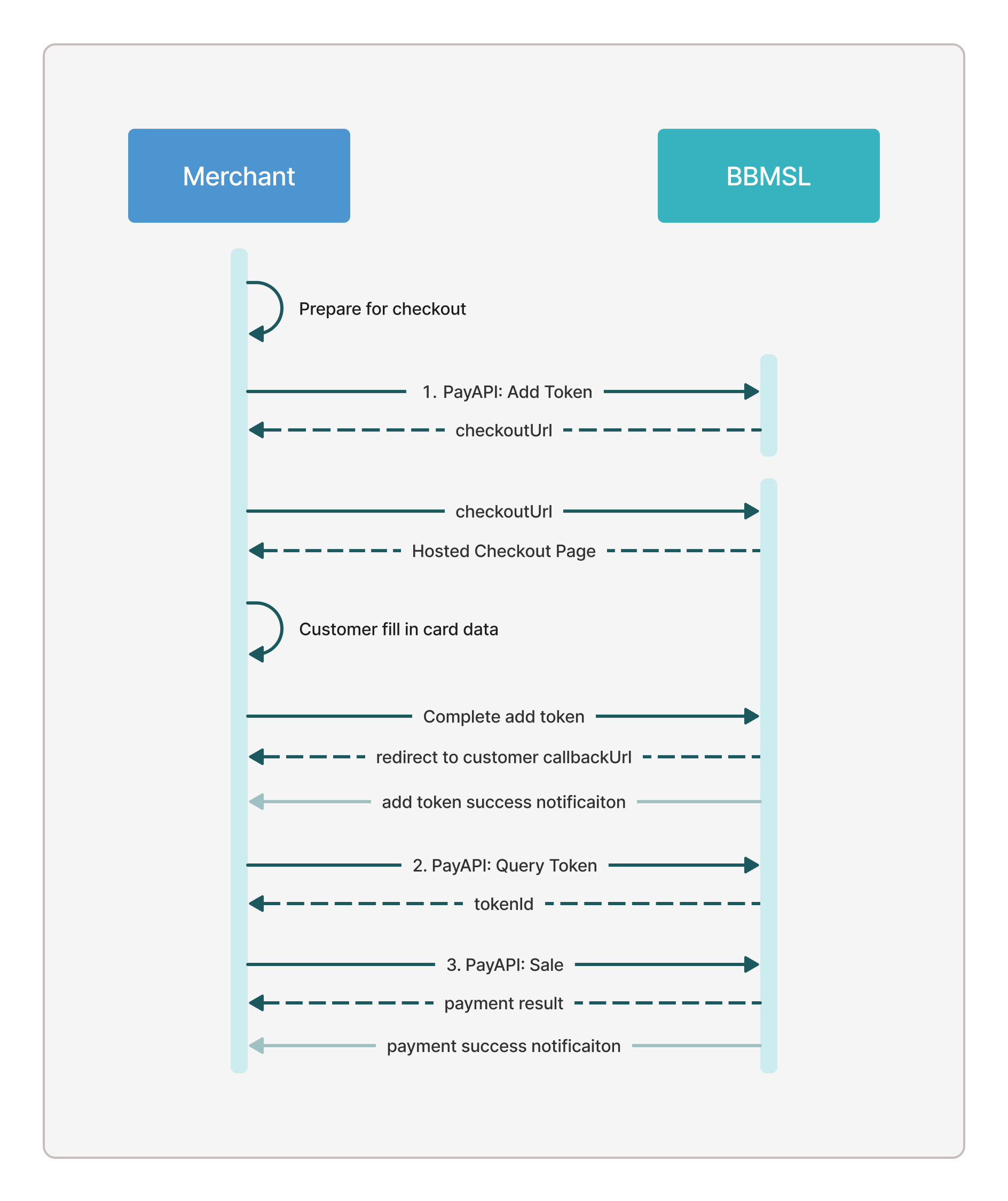
- Add token — Call PayAPI Add Token:
/tokenization/add-tokento generate acheckoutUrlfor the customer to enter their card data. BBMSL charges the verification amount and tokenizes the card data in the BBMSL payment gateway. - Query token — Call PayAPI Query Token:
/tokenization/query-tokenwith theuserIdused in the previous step to retrieve thetokenIdassigned to the tokenized card. - Sale — Call PayAPI Sale:
/tokenization/salewith thetokenIdto process a payment without requesting card data again. ThetokenIdcan be reused until it expires or is deleted.
Handle failure results at every stage of the payment process. If a network error occurs, query the order result rather than assuming the payment succeeded. See Result Notification for details.