Overview
The Hosted Model lets you accept multiple payment methods with a faster integration path and customizable payment pages.
BBMSL hosts and processes all sensitive card data on your behalf, removing the PCI DSS compliance requirement from your integration scope.
Features
Supported payment methods
- Payment Card: Visa, Mastercard, UnionPay
- Digital Wallet: Apple Pay, Google Pay, Alipay, AlipayHK, WeChat Pay
Supported currency
| Payment Method/Currency | HKD | USD |
|---|---|---|
| Visa/Mastercard | ✓ | ✓ |
| Apple Pay | ✓ | ✓ |
| Google Pay | ✓ | ✓ |
| UnionPay | ✓ | |
| American Express | ✓ | |
| Alipay | ✓ | |
| AlipayHK | ✓ | |
| WeChat Pay | ✓ |
Compatible browsers
The hosted checkout page is fully compatible with the following web browsers:
- Google Chrome
- Mozilla Firefox
- Microsoft Edge
- Apple Safari
Customization options
Page presentation
You can redirect the customer to the hosted checkout page, or embed the payment page in an iframe element.
Page design
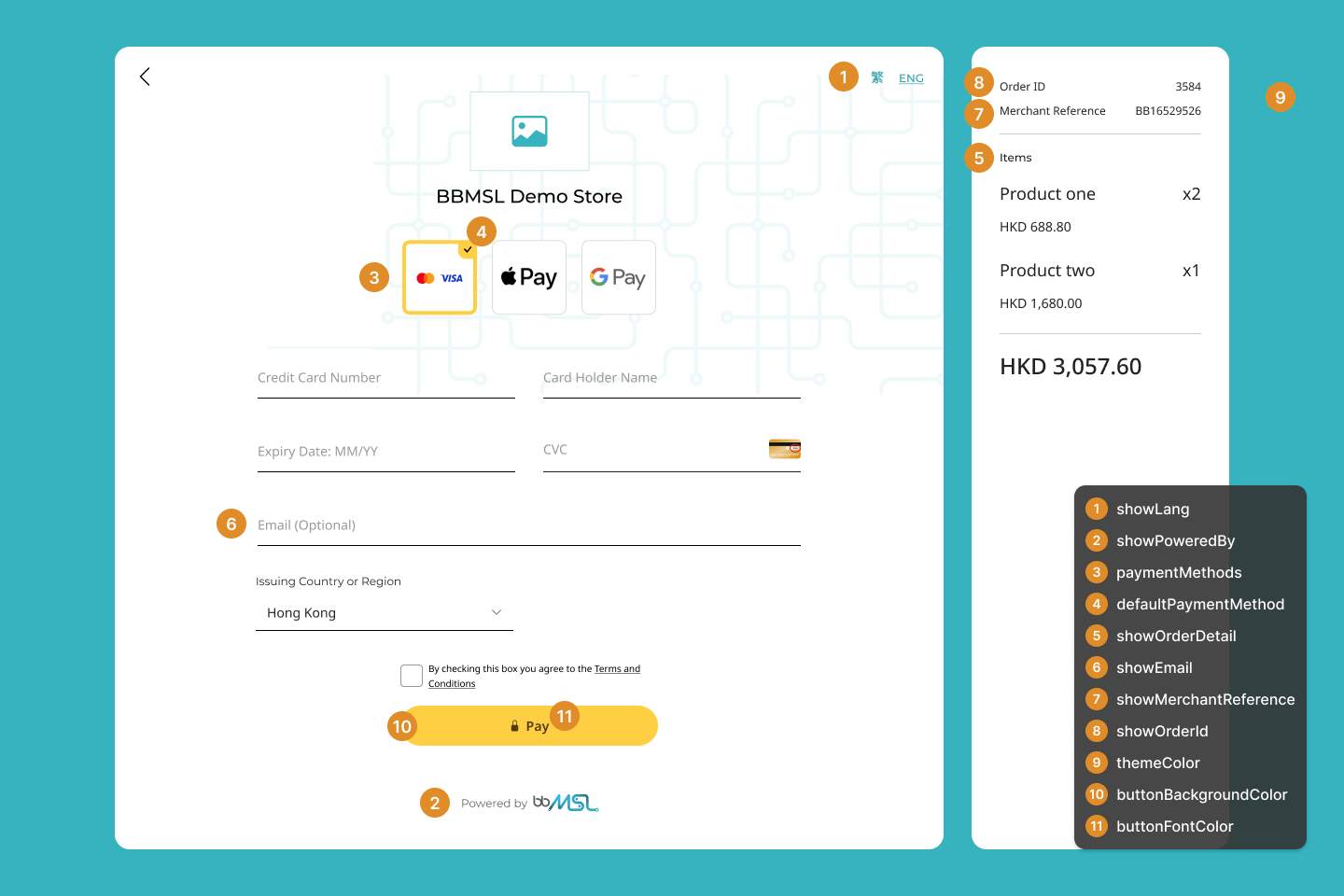
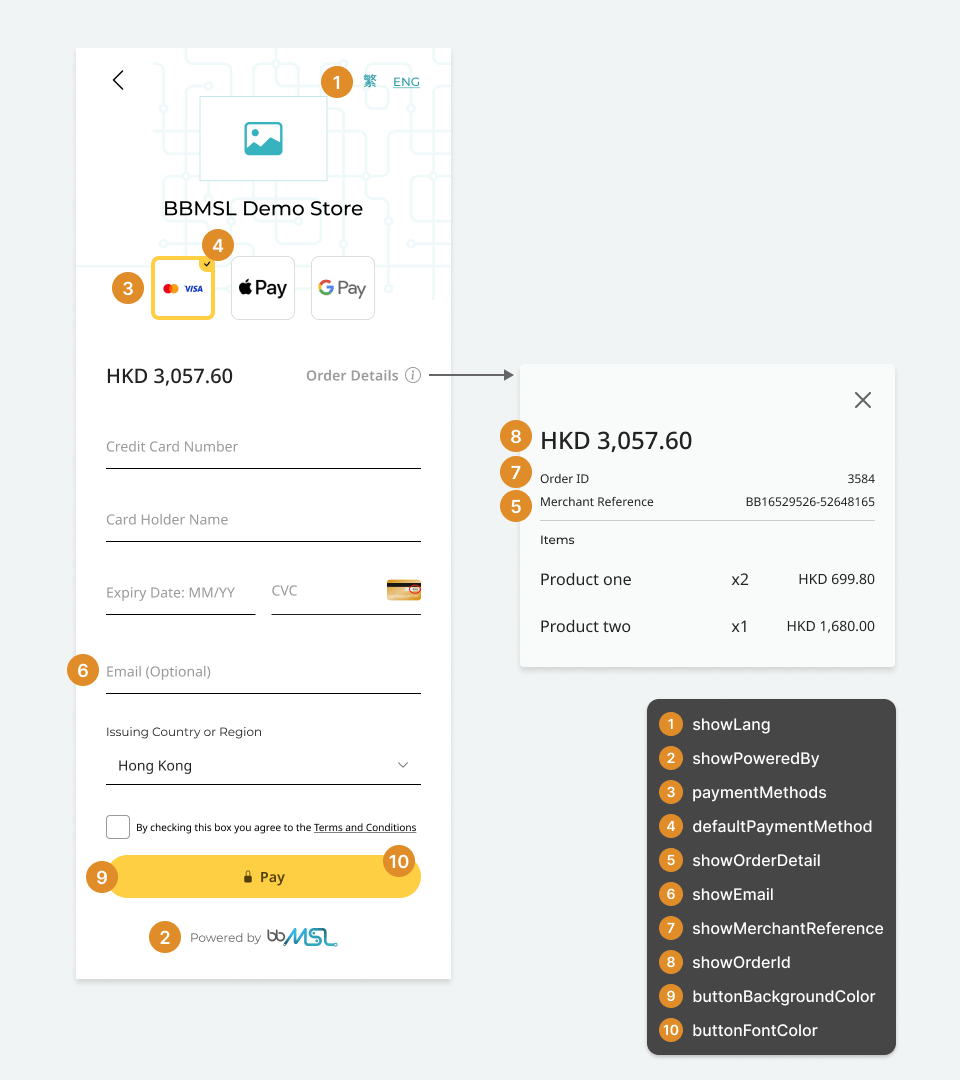
You can upload your company logo and configure the checkout page theme color in the BBMSL Business Portal. Additional UI options are available through PayAPI request parameters. The diagrams below show the available customization options for desktop and mobile layouts.
Security
- Payment Card: The Hosted Model supports 3-D Secure (3DS) verification to protect each payment. The 3DS challenge page is presented automatically when the issuing bank requires it.
- Digital Wallet: Authentication is conducted by the wallet's service provider through biometric authentication or username and password.
Payment flow
When you integrate with the Hosted Model, pass the correct request parameters to the PayAPI to obtain a checkout page URL and present it to the customer. BBMSL handles all payment-related components. You design your application workflow for the stages before and after payment.
The diagram below illustrates the basic workflow using PayAPI Create: /hosted-checkout/create.
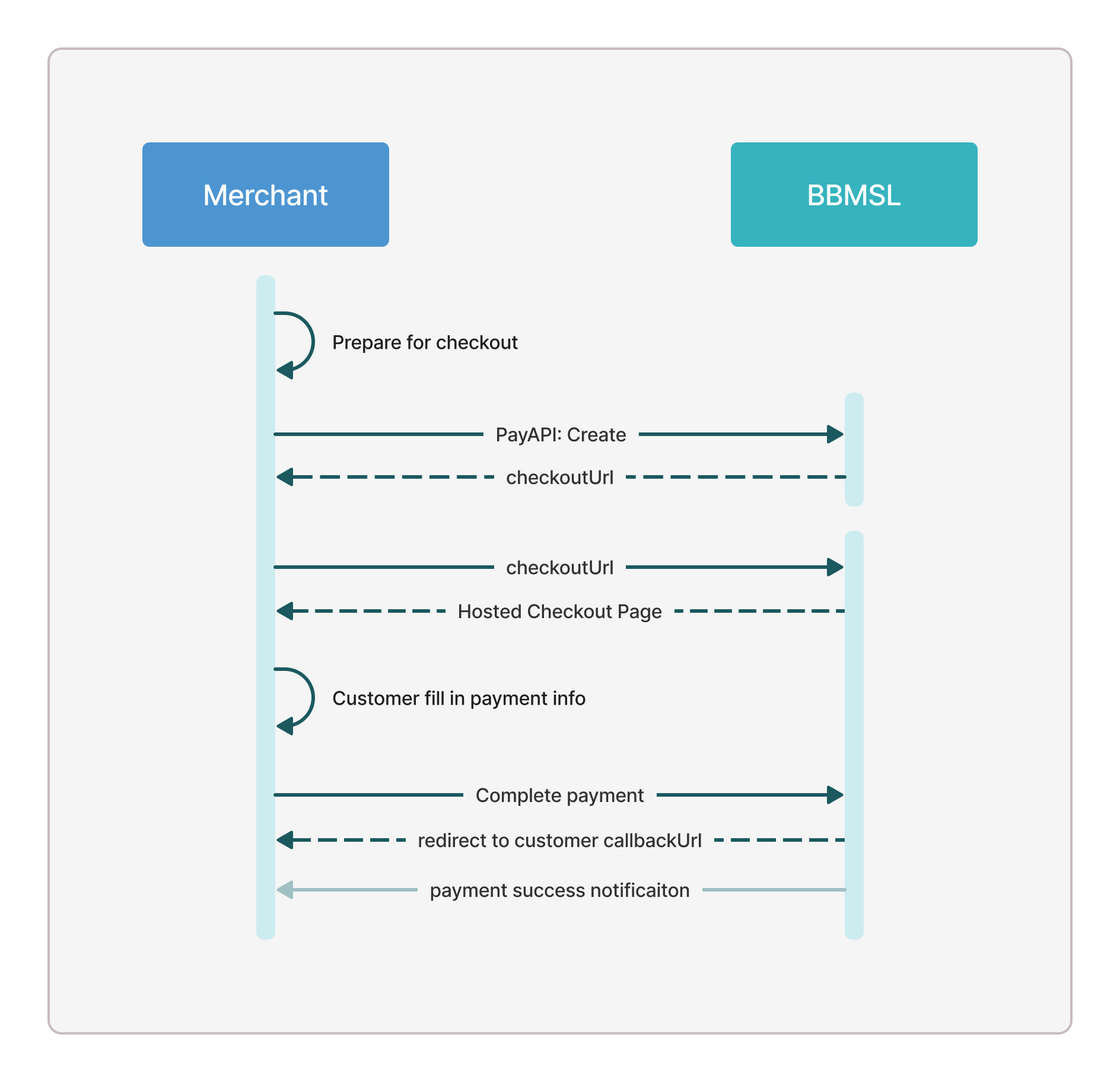
Handle failure results at every stage of the payment process. If a network error occurs, query the order result rather than assuming the payment succeeded. See Result Notification for details.